


New
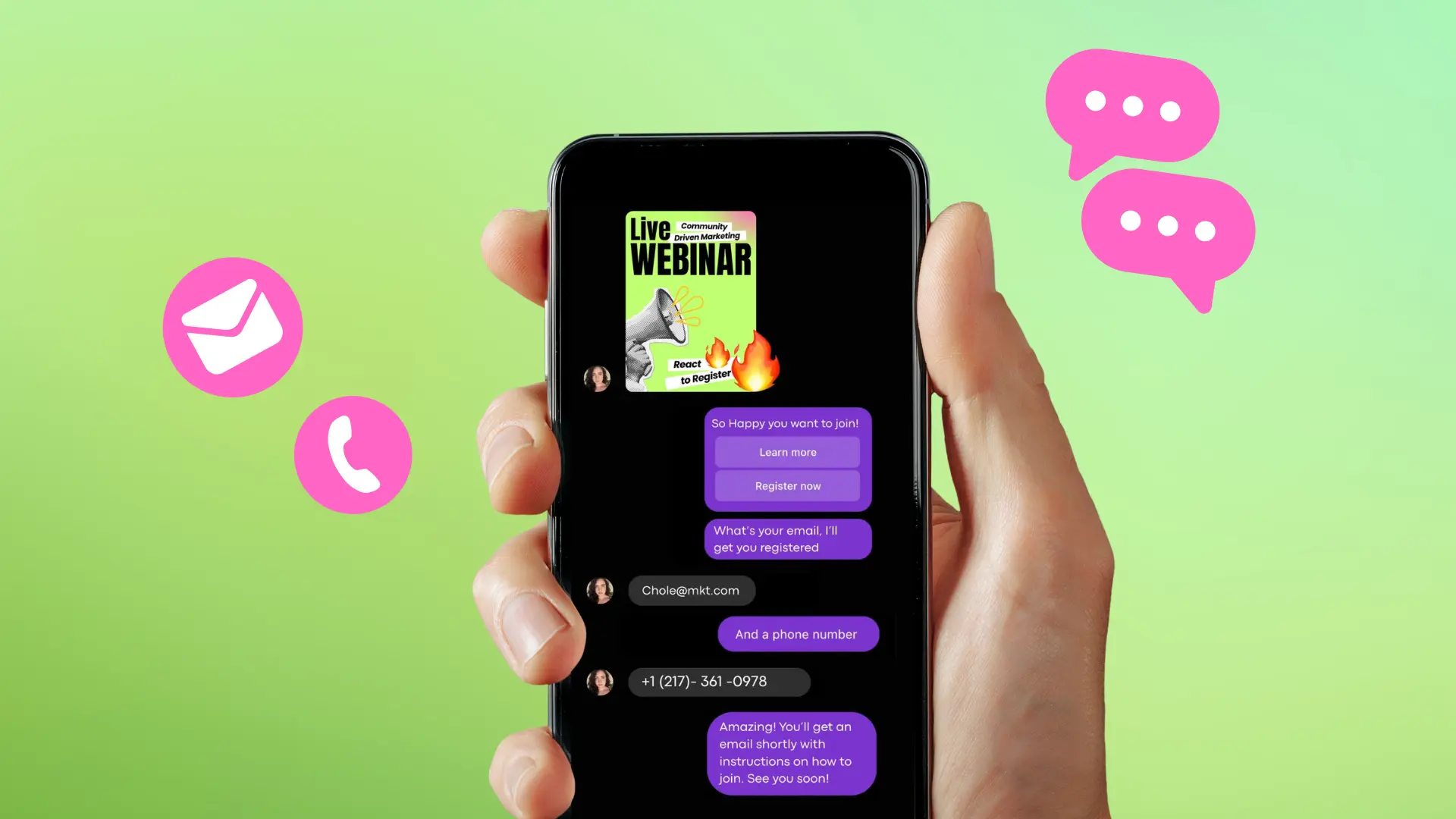
Turn Your DMs Into Lead Gen!
Learn how to collect lead data from your DMs such as email addresses, phone numbers, and more right from your social inbox. If you are not yet automating your DMs your competitors are outpacing you.



How Something Social Saved 75% of Their Time and Increased Revenue by 15%
See how a fast-growing agency improved operations, cut down hours of manual work, and unlocked new revenue opportunities with Vista Social.


New

50 Unique Social Media Ideas for Consistent Content Creation
Discover 50 unique social media post ideas to engage your audience, grow your brand, and maintain a consistent content strategy with ease!
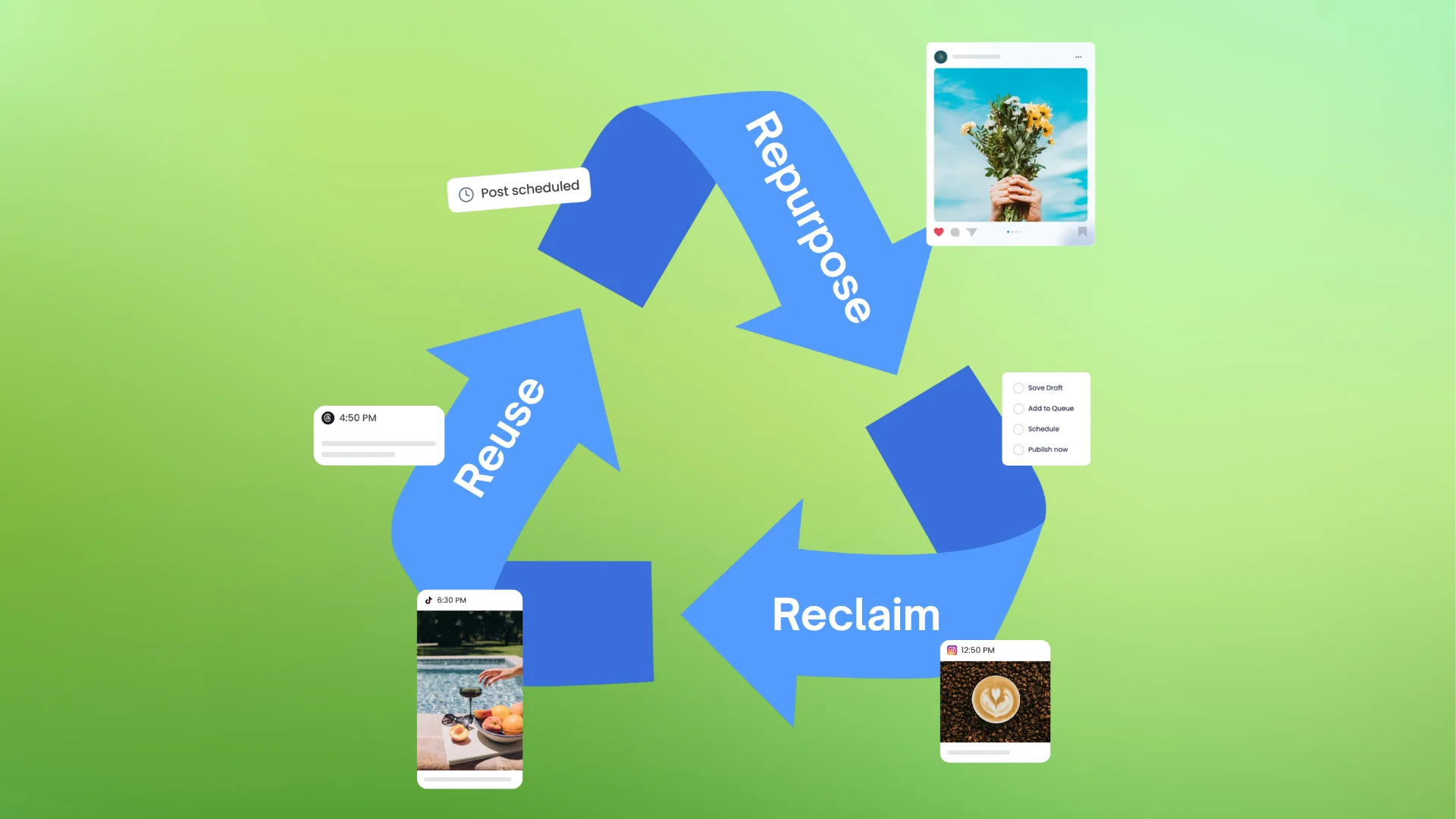
Mastering Content Reuse: The Key to a Consistent and Sustainable Posting Strategy

Published on July 12, 2024
8 min to read
AI Video Tools to Boost Your Social Media Efforts

Summarize with AI





Table of Content
Creating videos that yield epic results for your clients’ social media marketing efforts is incredibly challenging.
If you’ve been doing social media marketing for years, you know what I’m talking about. Out of the 10 videos you create, how many would go viral or yield ‘acceptable’ results? One? Two? Probably none?
The process gets even crazier when handling multiple clients with various social media campaigns and profiles. After all, creating high-quality, engaging social media videos can take A LOT of time and energy.
Furthermore, you must ensure that each video aligns with your clients’ objectives and brand positioning, all while ensuring that each piece resonates with their target audiences.
Whew! That’s a mountain of work on your plate. If only there were magical tools to make creating social media videos faster and easier. Well, that’s where AI video tools come in!
Keep reading as we cover the top AI video software for streamlining the creation and editing of videos that boost your clients’ social media marketing efforts.
Table of contents
What are AI video tools?
AI video tools are powered by Artificial Intelligence (AI) to simplify and speed up creating and editing videos for websites and social media platforms.
AI tools often use machine learning techniques and advanced algorithms to automate video production processes, improving efficiency and the overall quality of the output. Some tasks that AI video tools can automate include the following:
- Scene detection
- Quick editing
- Special effects application
- Personalized content recommendation
- Video summarization
Perks of using AI video tools for social media
Leveraging the power of AI to create and edit your clients’ social media videos offers the following benefits.
- Efficiency boost: AI video tools speed up your editing process, streamlining the creation of polished videos without advanced or in-depth editing skills.
- Cost-effective creativity: Skip the costly video production costs by opting for AI tools with affordable solutions. Many AI video generator tools can help you create professional-quality content without breaking the bank.
- Personalization galore: Personalize your clients’ social media videos easily with an AI tool’s filters and templates. You can make your clients’ social media videos uniquely theirs while reflecting their brands’ vibes with a few clicks.
Top 5 AI video tools to elevate your social media content
Check out the leading AI video tools that you can include in your toolkit.
1. Vista Social

Best for: Social media managers and teams who want one dashboard to handle monitoring, engagement, publishing, and analytics all in one place.
Key features:
Vista Social is a social media management platform that simplifies and streamlines key tasks, from post scheduling to social media analytics and reporting.
While Vista Social isn’t technically an AI video tool, the platform offers a handy AI-based dynamic content creation feature.
You can use the feature to create images and videos based on text prompts that can automatically change to fit the social network where they are published.
Go to the platform’s social media publishing feature and create a new post.
Click the upload video icon and select Dynamic video from the dropdown.
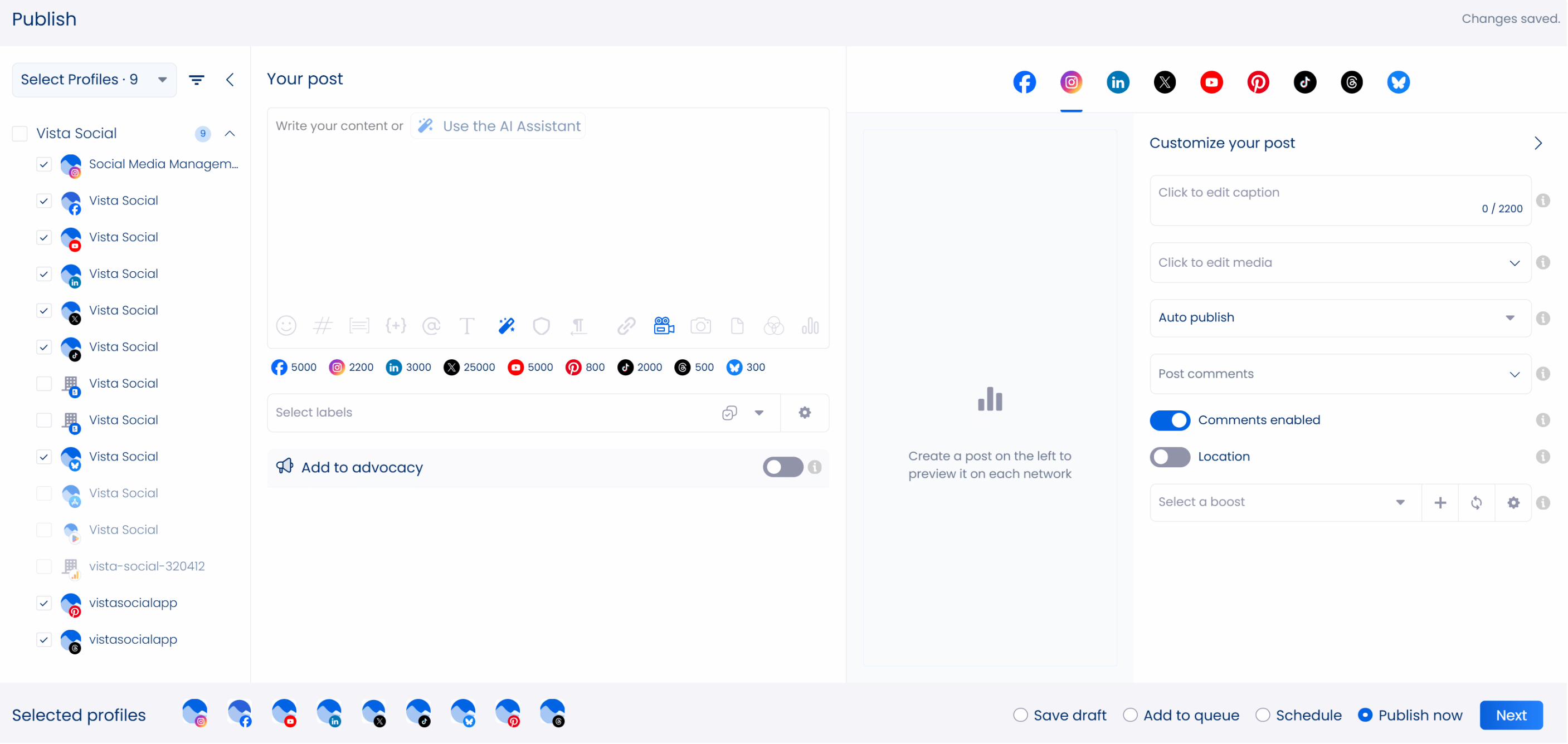
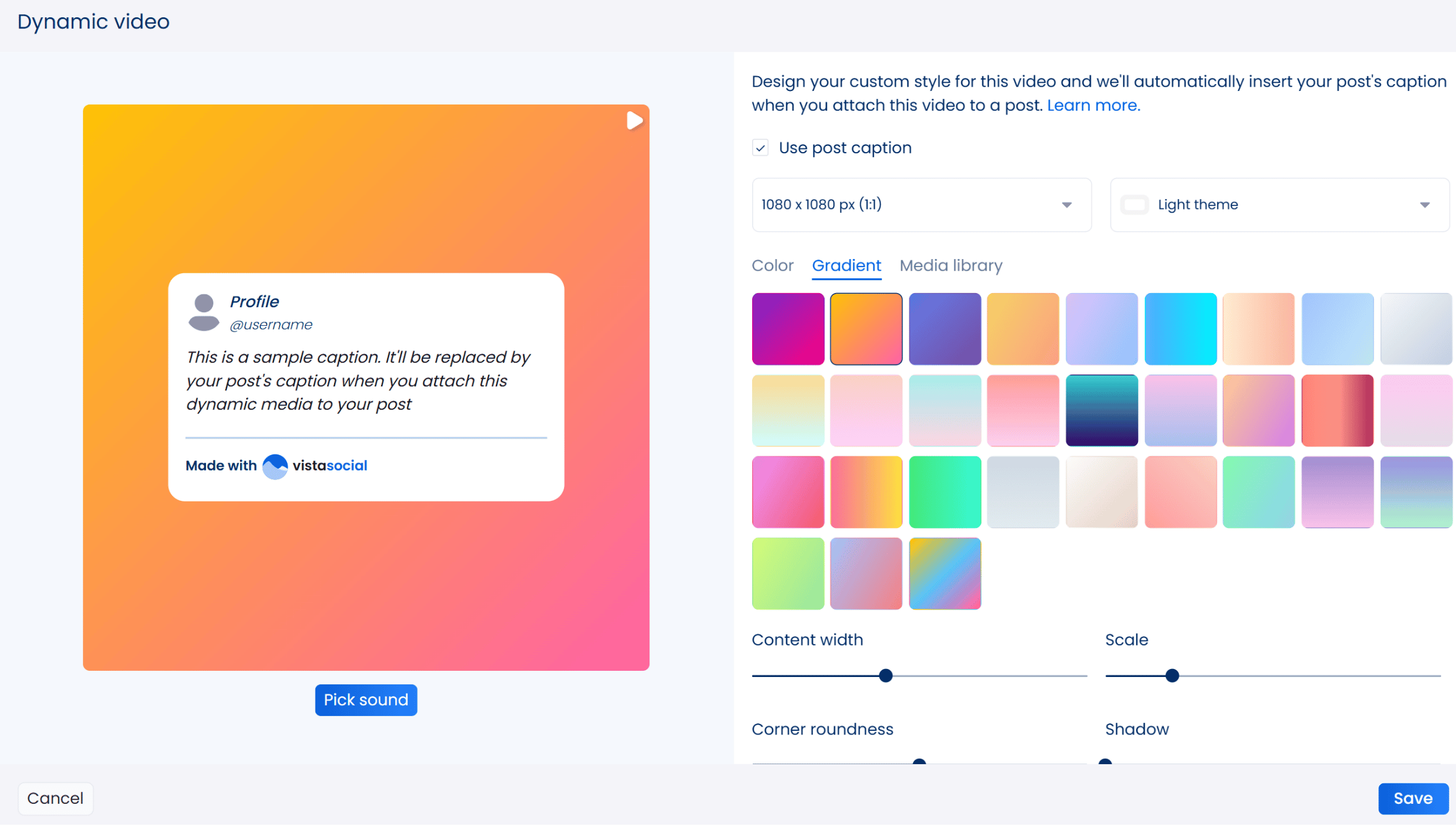
You can customize your dynamic video by:
- Choosing an aspect ratio
- Picking a dark or light theme
- Selecting a solid or gradient color or image as the background
- Adjusting the content width, corner roundness, scale, shadow, and transparency
- Adding a sound
- Switching the show profile information and show Made with Vista Social options on or off
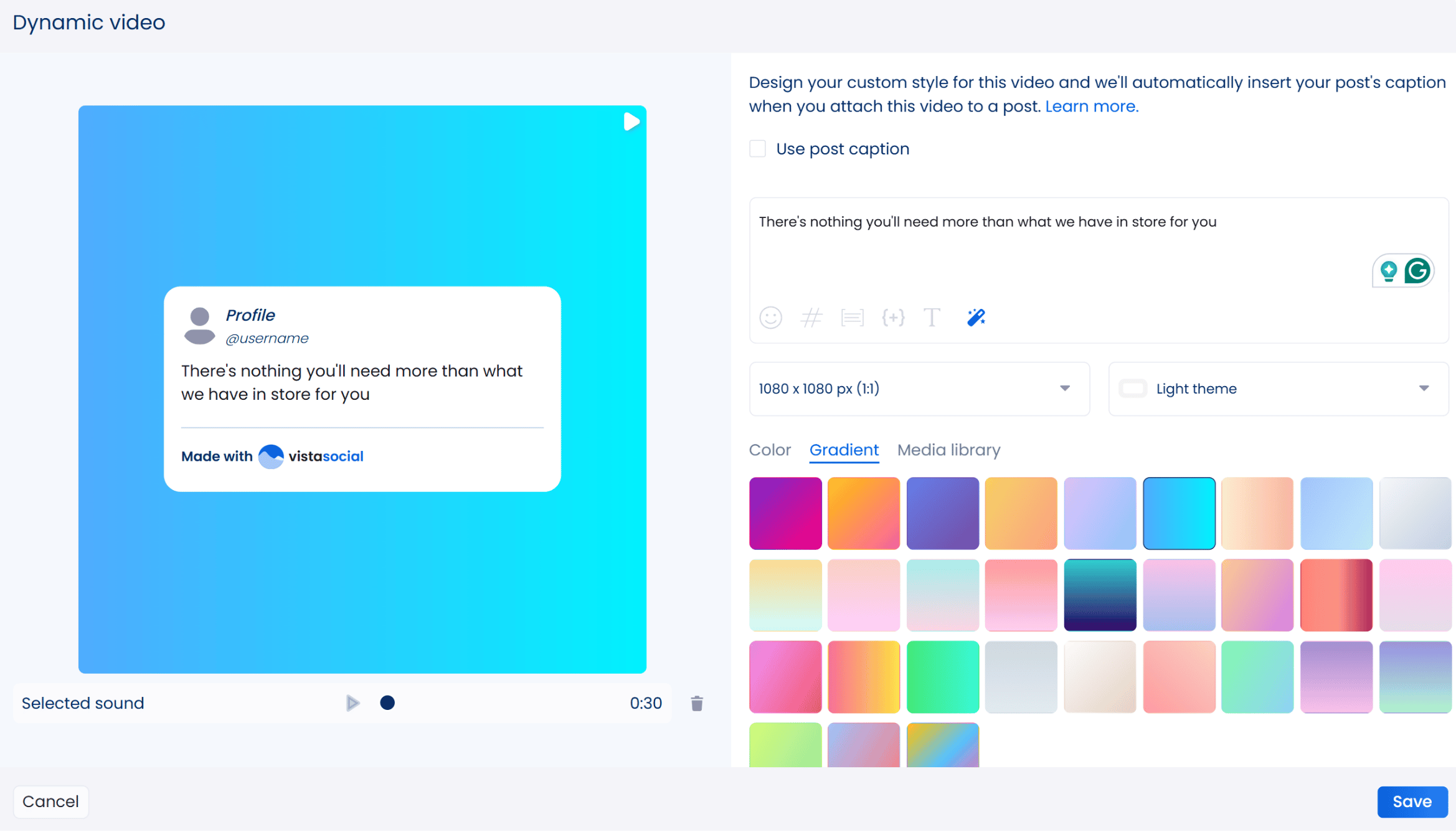
Click Save when you’re done. You can use the AI Assistant to generate engaging captions for your post instantly. Vista Social will automatically insert your caption to the post.
It will also auto-update your profile handle and photo based on the social media platforms where it will be published, like this:
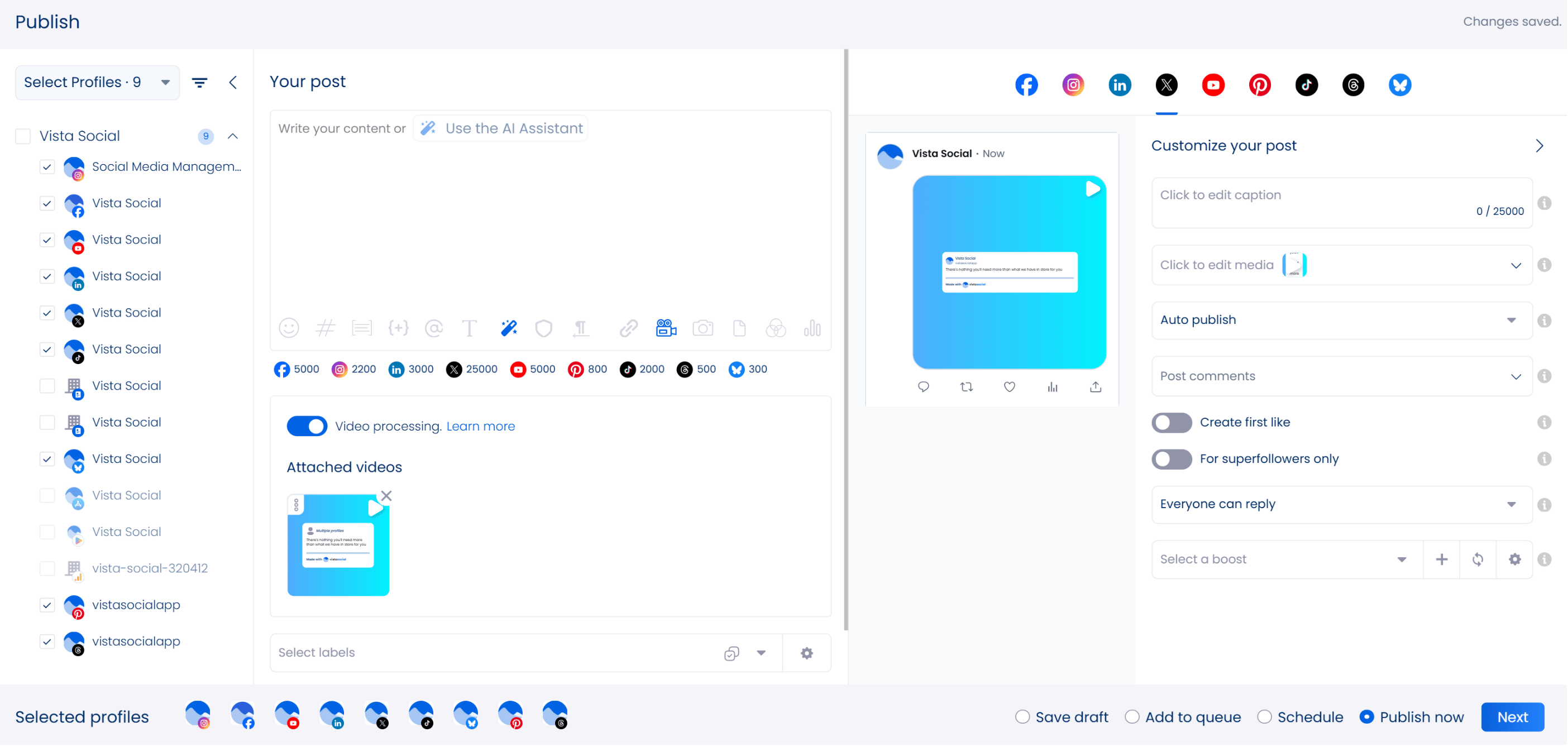
You can schedule your post for auto-publishing and add it to a scheduled post queue. You can also save it as a draft or publish it immediately.
Pricing:
Vista Social’s pricing plans start at $64/month (billed annually), and a free 14-day trial is available.
Don’t miss out on Vista Social’s other awesome features, such as a social media listening tool and a collaborative content calendar.
2. Tagshop

Best for: Brands and marketers who need AI-powered UGC and video ad creation with avatars and rapid script-to-video workflows.
Key features:
- AI-powered UGC video creation without filming or manual editing
- Generates lifelike avatars and persuasive scripts tailored to your product or campaign goals
- Supports ad-ready content for Instagram and other social platforms
- Simple workflows that allow you to input what you want in your video and receive polished videos in minutes
- Scalable, cost-effective solution that replaces traditional UGC production
- Offers full creative control and personalization for consistent, high-performing content at scale
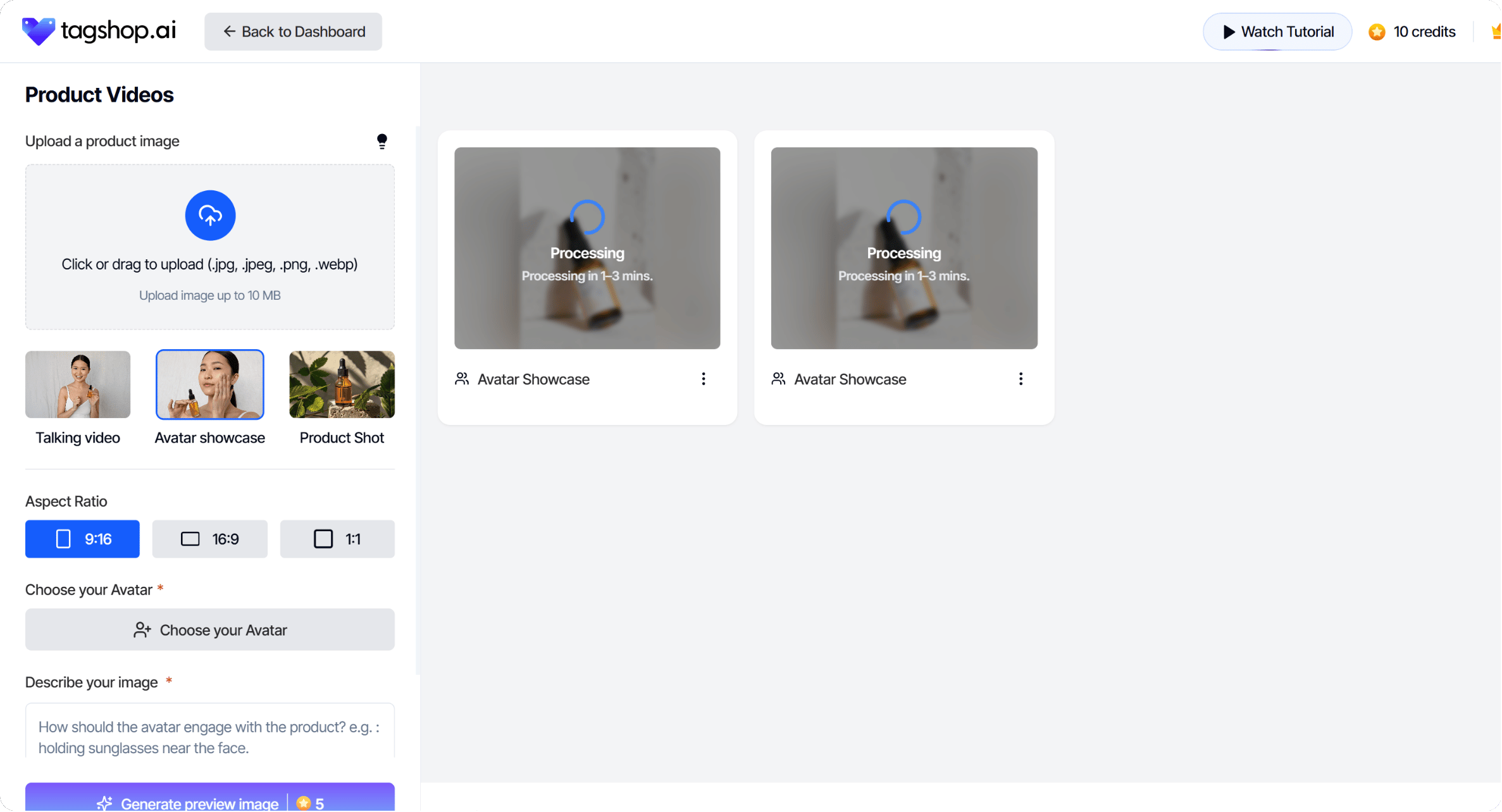
With its scalable and cost-effective approach, Tagshop offers a seamless alternative to traditional UGC. It gives you full creative control and the ability to produce personalized content at scale.
Pricing:
Tagshop offers pricing plans that start at $11/month. A free plan and trial is available with limited features.
3. Synthesia
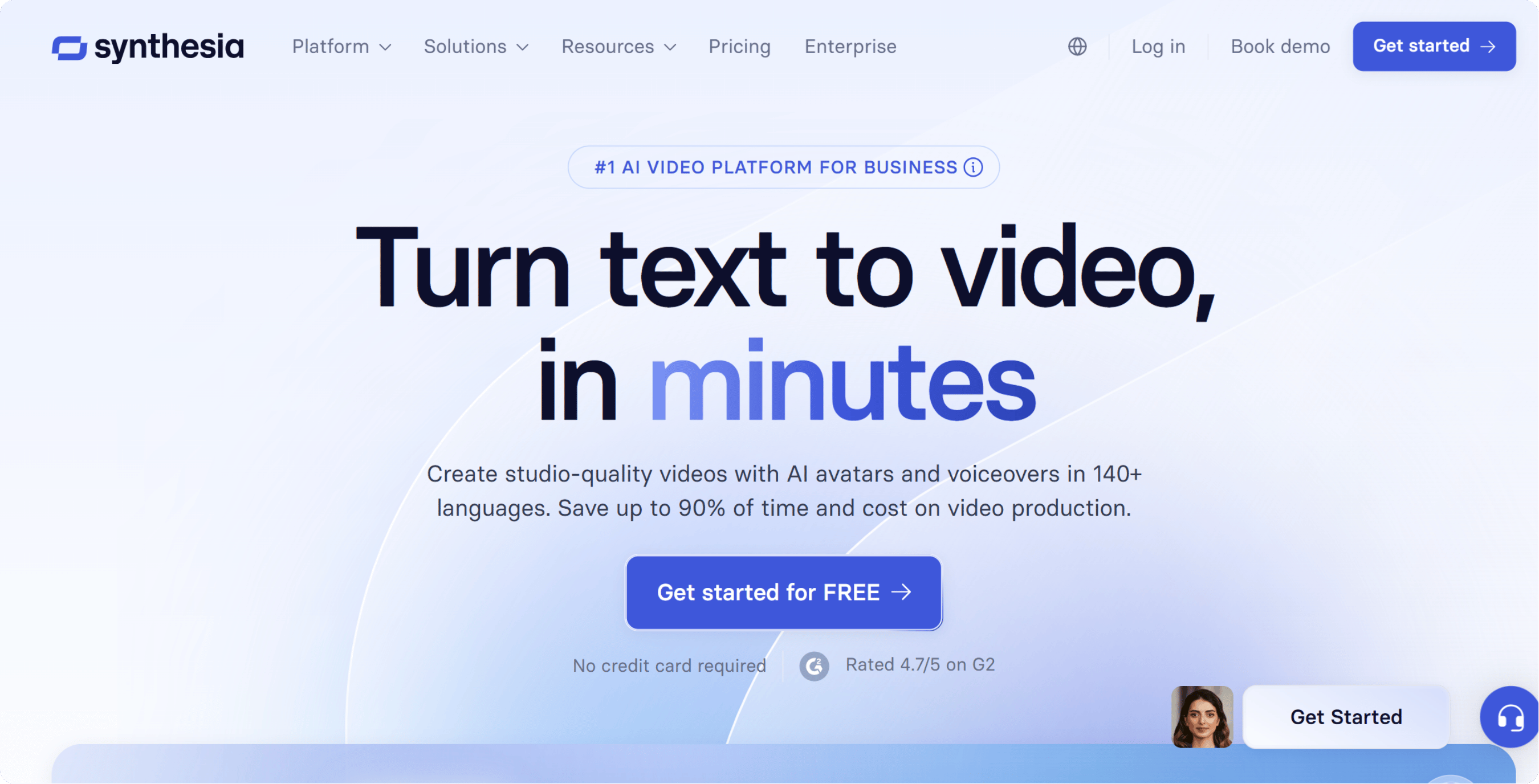
Best for: Teams and creators who want to produce talking-head style videos or multilingual training content without filming actors or hiring a studio.
Key features:
- Creates realistic talking-head videos using AI avatars and text-to-speech technology using deep learning
- Supports voiceovers in over 130 languages for global content creation
- Let’s you generate scripts from links and documents, including AI-generated ideas
- Customizable avatars and objectives to match your brand or audience
- Eliminates the need for filming or hiring on-screen talent for social videos
- Easy export options to share videos directly on social media or embed them on websites
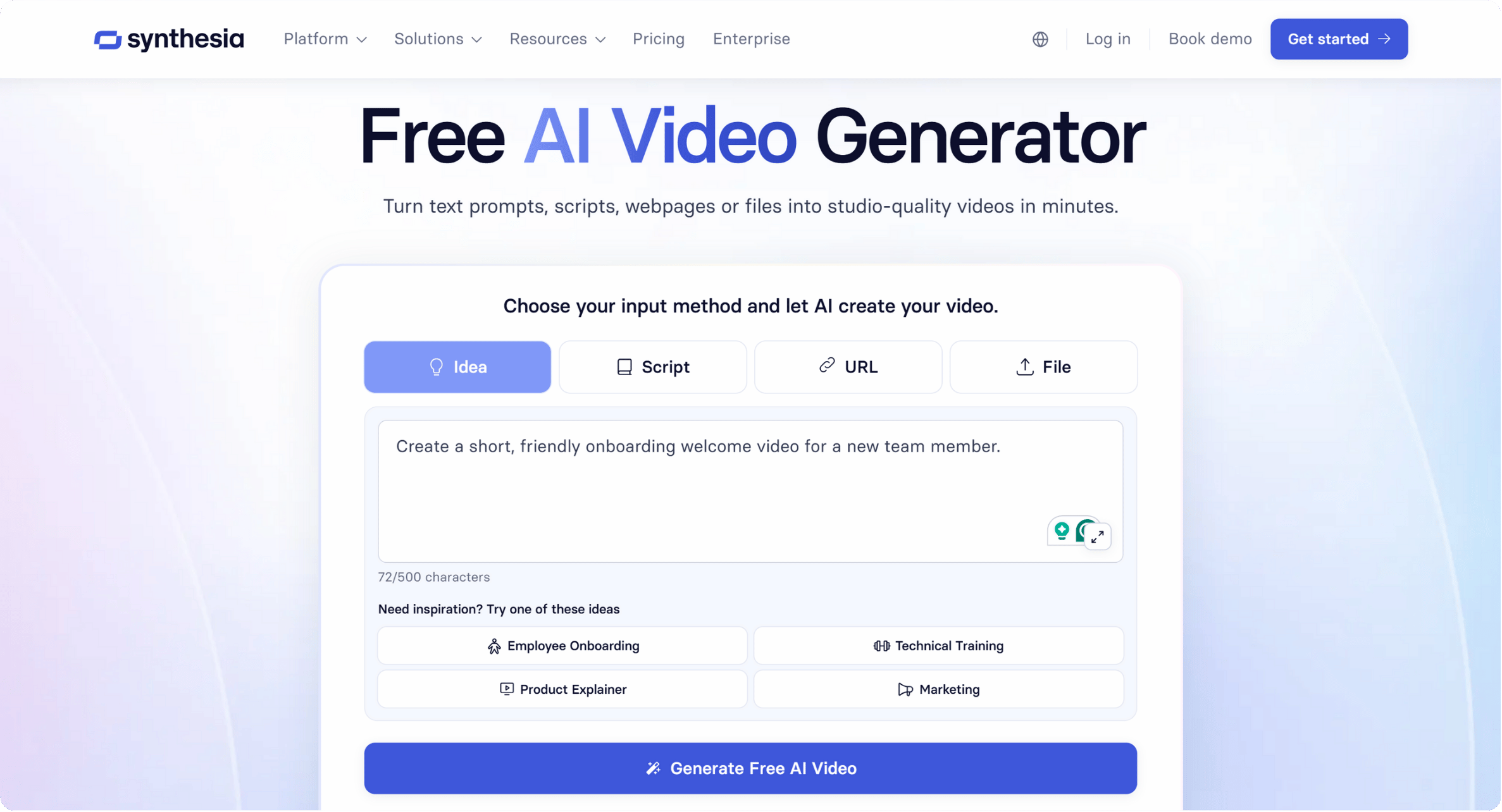
You can create a script from a link, document, or AI-generated idea.
Pricing:
Synthesia’s paid plans start at $18/month, with a free plan that offers a few minutes of video creation per month.
4. InVideo AI
Try Vista Social for Free
A social media management platform that actually helps you grow with easy-to-use content planning, scheduling, engagement and analytics tools.
Get Started Now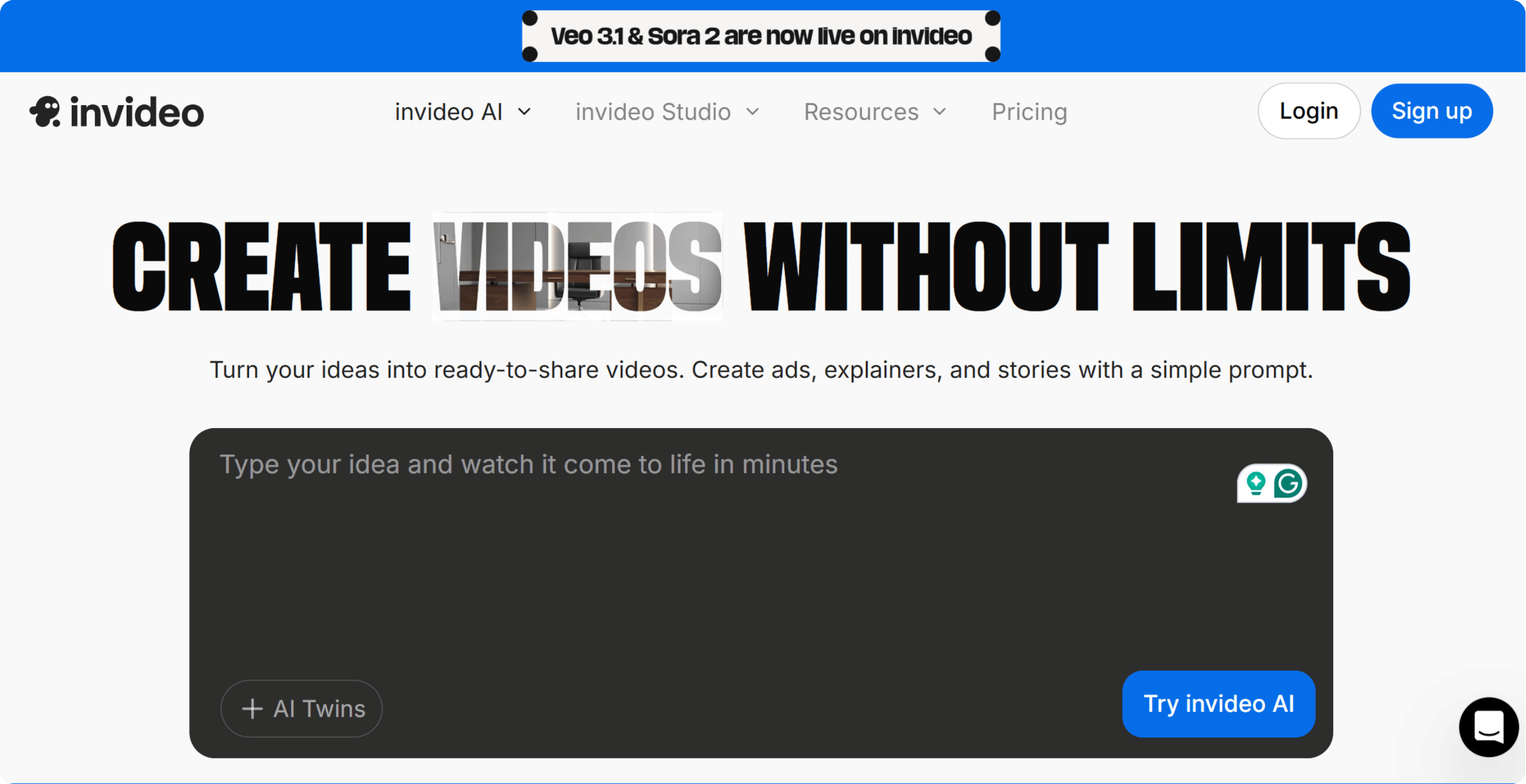
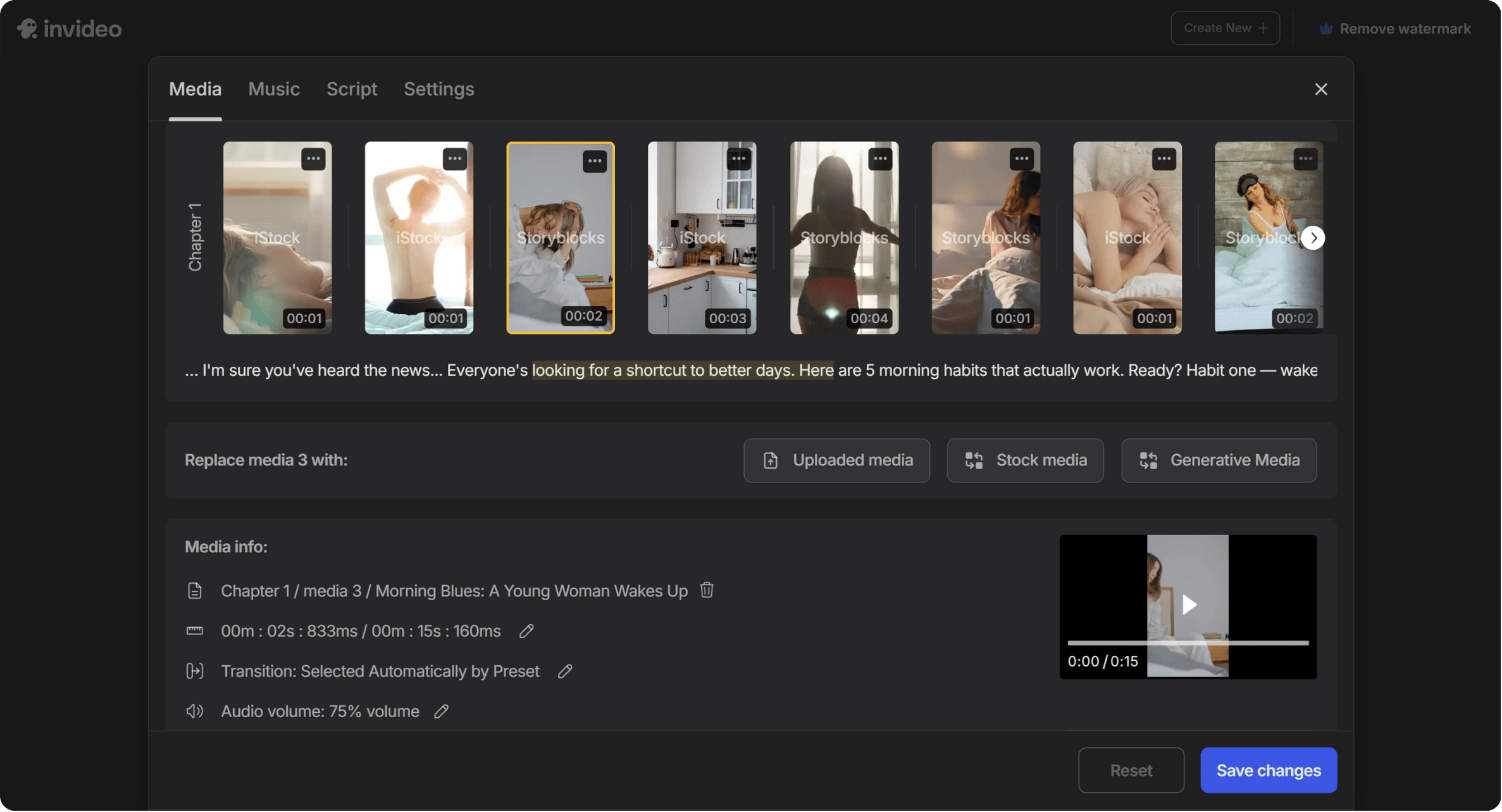
Best for: Solo creators or small teams that need an affordable tool to generate social-first videos from templates or text quickly.
Key features:
- Creates videos from simple text prompts using AI automation
- Handles everything from visual matching and script generation to voiceovers
- AI-powered editing tools with automatic scene transitions and smart resizing for different platforms
- An extensive library of pre-designed templates optimized for social media content
- Custom branding options to maintain visual consistency across campaigns
- Built-in team collaboration tools for streamlined video production workflows
Pricing:
InVideo AI’s paid tiers start at $28/month (annual billing) for paid tier. The tool also offers a free plan with basic features.
5. Descript
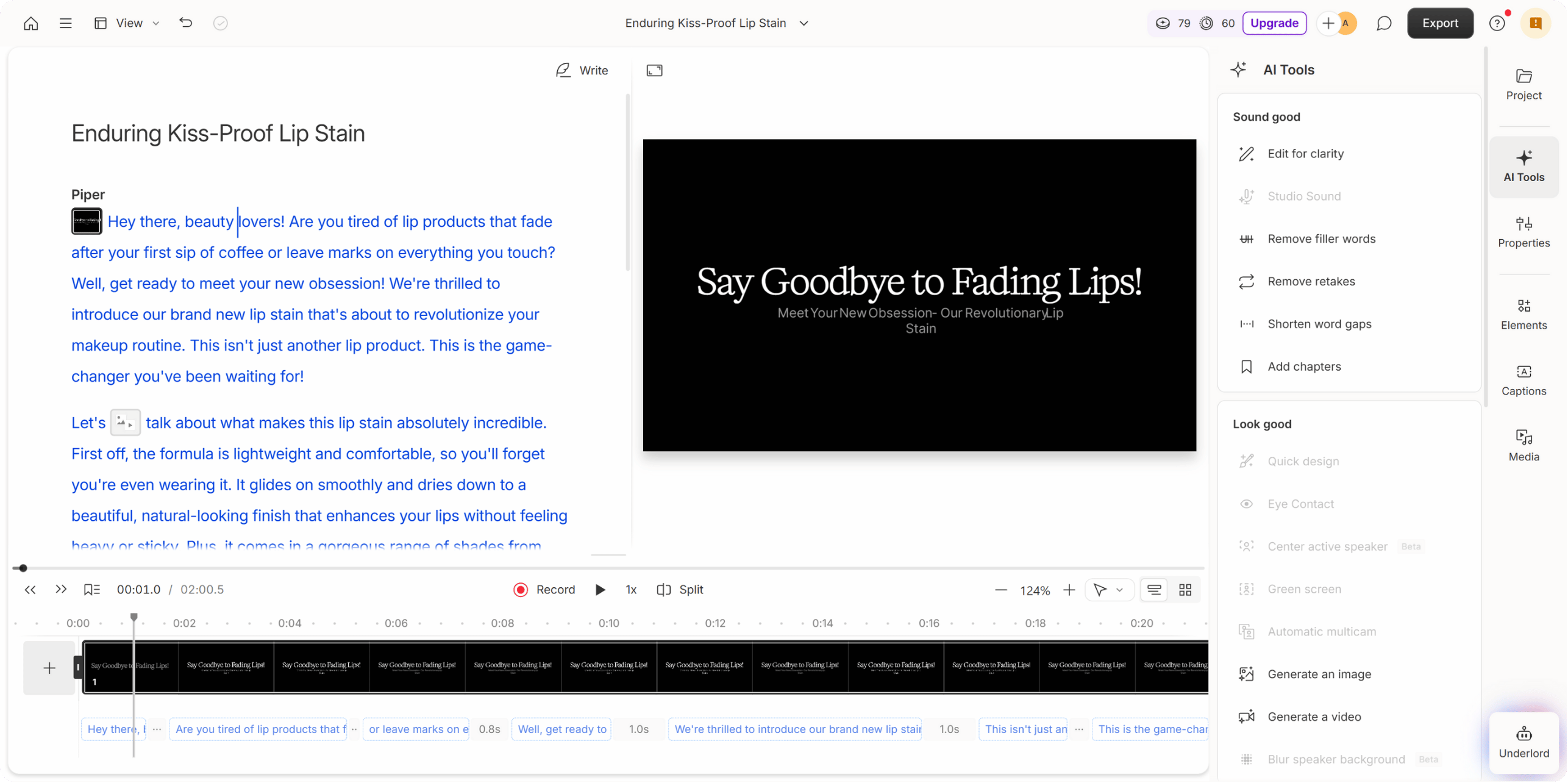
Best for: Video and audio creators or social media teams who want text-based editing and AI-powered voice cloning all in one tool.
Key features:
- AI-powered video and audio editing with text-based editing functionality
- Edit videos by modifying transcribed text using the Overture feature
- Delete or replace words in text, and the video updates automatically
- AI-driven audio enhancement tools that improve clarity and remove background noise
- Add studio-quality effects for a polished, professional sound
- Real-time collaboration that allows multiple editors to work on the same project simultaneously
Pricing:
Descript offers a free version, and its paid tiers start at $16/month with annual billing.
Top features to look for in AI video tools
Let’s explore the most valuable features to look for when choosing the right platform for your video creation workflow.
User-friendly interface
Ease of use is everything, especially when it comes to time-consuming tasks like creating videos. The best AI video tools have drag-and-drop editors and quick export options. You shouldn’t have to be a video pro to produce polished content.
When the interface feels natural, you spend less time figuring out controls and more time creating engaging social media videos that connect with your audience.
Script generation
Writing excellent video scripts can take a lot of time and effort, so choose tools that include AI-powered script generation to help you turn raw ideas into structured narratives in minutes.
The tools can analyze tone and trends to suggest dialogue or narration that fits your brand’s voice. This way, you can easily maintain content consistency and save time during the pre-production process.
Automated editing
Video editing can take hours, unless AI handles it. Look for tools that automatically trim silence and balance color or sound.
Automation enables you to produce high-quality videos for platforms like TikTok or Instagram Reels without the burnout associated with manual editing.
Captioning and subtitles
Accessibility ensures that all your viewers can consume and enjoy your videos. However, creating captions and subtitles can be time-consuming and require additional effort.
The solution? AI video tools that automatically generate captions to help you reach a wider audience and improve watch time. Many viewers scroll with sound off, so captions keep them engaged.
Brand consistency tools
Your videos should always look and sound like your brand. Features such as logo overlays and reusable templates make it easy to maintain a consistent visual identity.
When paired with Vista Social’s approval workflows, your team can review and publish videos confidently, knowing each one meets your brand standards before it goes live.
Text-to-video generation
Look for AI video tools that can transform plain text prompts or scripts into complete, ready-to-share videos. This feature uses advanced AI to handle everything from scene creation to voiceovers and transitions, no manual editing required.
It’s perfect if you need to produce high-quality, on-brand content quickly. Whether you’re creating how-to videos or short-form social clips, text-to-video generation helps you turn ideas into engaging visuals in minutes instead of hours.
Integration with social platforms
AI video tools that connect directly to social media apps make your process seamless. You can edit and publish everything in one place, without needing to switch between tools.
Vista Social enhances this by allowing you to schedule and post AI-generated videos automatically, while tracking engagement and reach from a single dashboard.
Analytics and optimization
The best AI video tools can help you extract key insights, such as which formats perform best and when engagement peaks, which are crucial for turning creativity into strategy.
Vista Social’s analytics go even deeper, helping you spot what’s working and identify content gaps. You’ll know exactly what drives results and how to replicate that success every time.
Use AI video tools to create engaging social media content
Crafting social media videos isn’t straightforward, but leveraging AI video tools can streamline the process significantly.
Leverage AI video tools to take your clients’ social media content to the next level, boosting engagement and conversions.
Don’t skip on using Vista Social’s robust social media management features, including AI-powered tools, to create dynamic videos.
Start your Vista Social account today and explore the rest of our platform’s awesome features.
AI video tools FAQs
What is the best AI video tool?
There’s no one “best” tool for everyone. The right one depends on your goals and workflow.
For instance, if you need talking-head style videos with avatars, then a tool like Synthesia could be ideal. If you need quick social clips from text prompts, another tool is a better fit.
Why use AI video tools?
AI video tools let you make high-quality video content faster and often at a lower cost than traditional production.
The tools help you scale content and experiment with formats while maintaining consistency across platforms, which is especially useful when managing social media.
How do AI video tools work?
Most tools combine inputs (text scripts and images) with AI models that generate visuals and edits.
The tools often use cloud-based processing, so you don’t need heavy hardware. You pick a format and input your prompt, and the tool will do the rest.
About the Author

Content Writer
Jimmy Rodela is a social media and content marketing consultant with over 9 years of experience, with work appearing on sites such as Business.com, Yahoo, SEMRush, and SearchEnginePeople. He specializes in social media, content marketing, SaaS, small business strategy, marketing automation, and content development.
Read with AI
Save time reading this article using your favorite AI tool
Summarize with AI
Never Miss a Trend
Our newsletter is packed with the hottest posts and latest news in social media.



You have many things to do.
Let us help you with social media.
Use our free plan to build momentum for your social media presence.
Or skip ahead and try our paid plan to scale your social media efforts.
P.S. It will be a piece of cake 🍰 with Vista Social

Subscribe to our Newsletter!
To stay updated on the latest and greatest Social Media news. We promise not to spam you!




Tools
PublishingAnalyticsEngagementIntegrations
FacebookInstagramLinkedInSnapchatThreadsTikTokX (Twitter)YouTubeBlueskyVista Page (link-in-bio)All IntegrationsCopyright © 2026 Vista Social LLC. All Rights Reserved.